


Businesses need tools that adapt as fast as they do. Microsoft’s Power Platform (Power Apps, Power Automate, Power BI and Copilot Studio) lets teams build apps, automate workflows and analyse data with little or no code.
Connected to Microsoft Dynamics 365 Business Central, it becomes a practical way to extend your ERP without heavy custom development. This guide explains how the integration works, the most useful scenarios, and how to get started.
Key takeaways
- Business Central has a built-in connector that lets Power Apps and Power Automate read and write ERP data through its APIs.
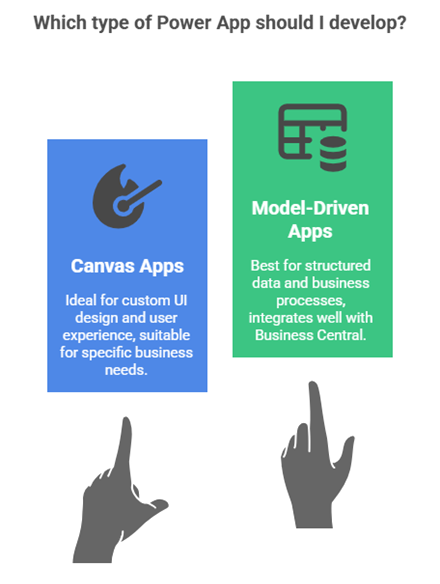
- Power Apps is ideal for simple mobile or role-specific apps, such as quoting, field service or stock counts.
- Power Automate handles approvals, alerts and repetitive tasks triggered by events in Business Central.
- Start with one high-value process, then scale with proper governance and security.
What is Power Platform + Business Central integration?
Power Platform is Microsoft’s low-code toolset. Business Central connects to it through the Dynamics 365 Business Central connector, a ready-made link that gives Power Apps, Power Automate and Copilot Studio secure access to Business Central data such as customers, items, vendors and invoices.
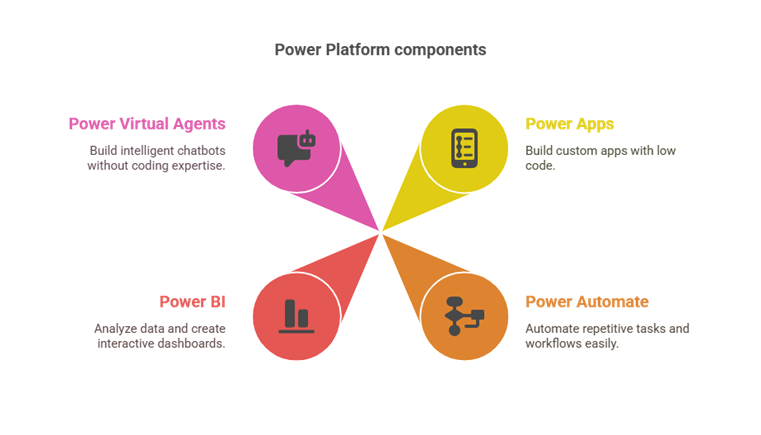
| Tool | What it does with Business Central | Typical example |
|---|---|---|
| Power Apps | Builds custom web and mobile apps on Business Central data | A mobile app for warehouse stock counts |
| Power Automate | Automates workflows triggered by Business Central events | Purchase order approval over a set amount |
| Power BI | Dashboards and reports on Business Central data | Cash flow and receivables dashboard for management |
| Copilot Studio | AI agents and chatbots for staff or customers | An assistant that answers order status questions |
Why it matters for UAE and GCC businesses
Many GCC companies run lean finance and operations teams across several sites. Manual approvals by email, spreadsheets for field data and copy-paste between systems slow everyone down. Power Platform lets you fix these one process at a time, at a fraction of the cost of traditional development, while keeping Business Central as the single source of truth.
How it works: key scenarios
Power Apps + Business Central
- Mobile sales quoting: sales teams configure, price and send quotes from their phone using live Business Central prices.
- Field service: technicians update work orders and use inventory on site, with data flowing straight into Business Central.
- Employee onboarding: standardise HR steps and sync employee data with Business Central.
Power Automate + Business Central
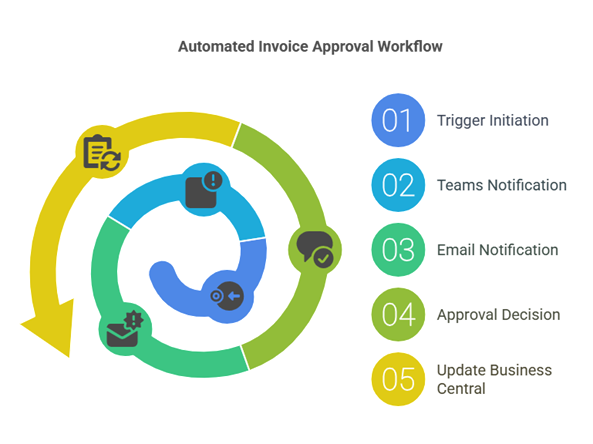
- Invoice approval: route purchase invoices for review and approval automatically.
- Stock alerts: notify buyers when stock falls below a level, or create draft purchase orders.
- Customer onboarding: send welcome emails and create tasks when a new customer is created.
- Expenses: collect expenses with receipts and create vendor invoices in Business Central.
Data and Dataverse
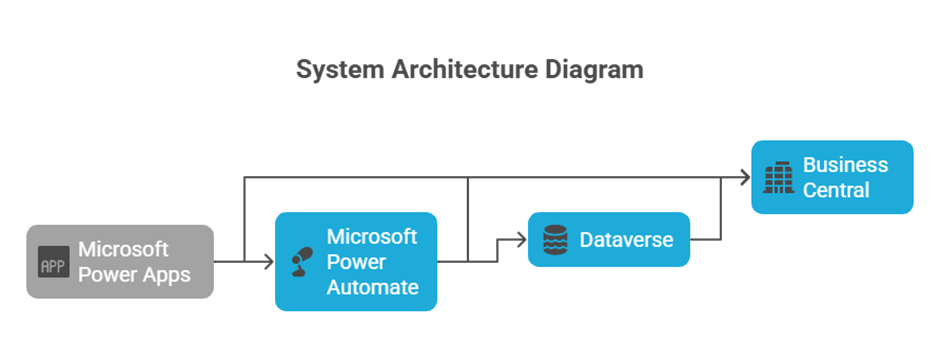
For deeper scenarios, Business Central can also integrate with Microsoft Dataverse, either by synchronising data or through virtual tables that read and update Business Central data in real time without duplicating it.
A practical example
A Dubai distributor’s managers approved purchase orders by replying to emails, which meant delays and no audit trail. Mohila set up a Power Automate flow: any purchase order above AED 25,000 now sends an approval card to the manager in Teams, and the decision is written back to Business Central automatically. Approvals that took two days now take minutes, with a full history in the ERP.
Best practices checklist
- Start with one high-value, repetitive process and prove the benefit.
- Use the standard Business Central connector and APIs before building anything custom.
- Set up environments, data loss prevention (DLP) policies and security roles from day one.
- Check licensing early: some connectors and features need premium Power Platform licences.
- Document every app and flow, with a named owner.
How Mohila can help
Mohila helps organisations plan, build and scale low-code solutions that integrate with Business Central: solution design and roadmaps, Power Apps development, Power Automate workflows, Power BI reporting, Dataverse integration, governance and training.
Talk to an Expert
Ready to automate your first Business Central process? Book a free 1-hour consultation with a certified Dynamics 365 consultant.
Frequently asked questions
Yes. Power Apps connects to Business Central through the Dynamics 365 Business Central connector, which reads and writes data using Business Central APIs.
It can run flows when records are created or changed, route approvals, send notifications, create records and connect Business Central with Microsoft 365 apps such as Outlook and Teams.
Many apps and flows can be built by trained business users. More complex scenarios, custom APIs or Dataverse integration usually need a consultant or developer.
Some Power Platform features and connectors require premium licences. Check licensing for your specific scenario before you build.
Related reading: Utilizing Microsoft Power Platform for Business Apps and How to Solve a Business Central Functionality Gap.


