

New Business Central extension
User Data Restriction Extension
Decide exactly what each user can do in Business Central. Turn individual actions on or off per user, and lock important tables so they cannot be added to, changed or deleted by the wrong people.
Everything is set up by your admin from two simple pages inside Business Central. No coding needed.
Practical example
A sales user can create quotes and sales orders and post them, but cannot change payment terms, currencies or G/L accounts, and cannot unblock a customer that finance has put on hold.
User Setup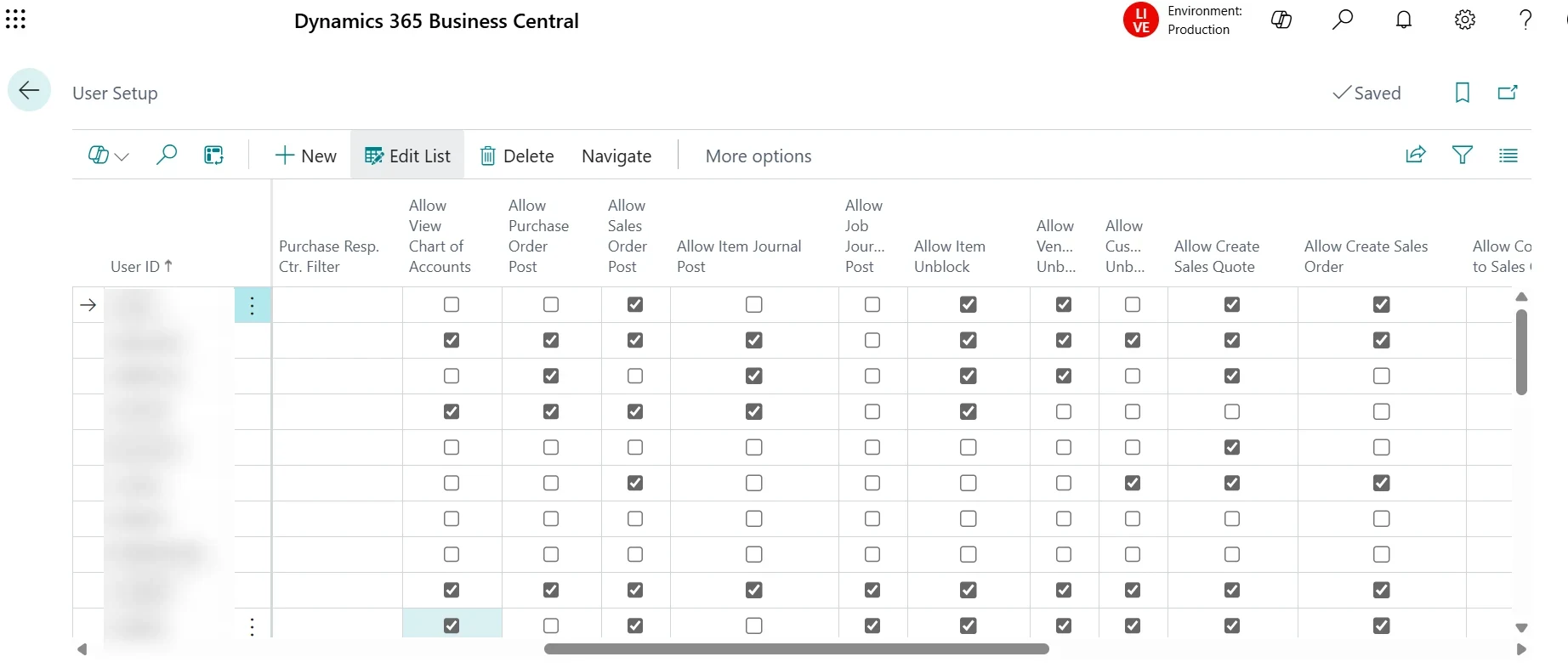
Action permissions per user
Tick what each person is allowed to do, right on the User Setup page.
- View chart of accounts
- Post purchase orders
- Post sales orders
- Post item journals
- Post job journals
- Unblock items
- Unblock vendors
- Unblock customers
- Create sales quotes
- Create sales orders
Data Restrictions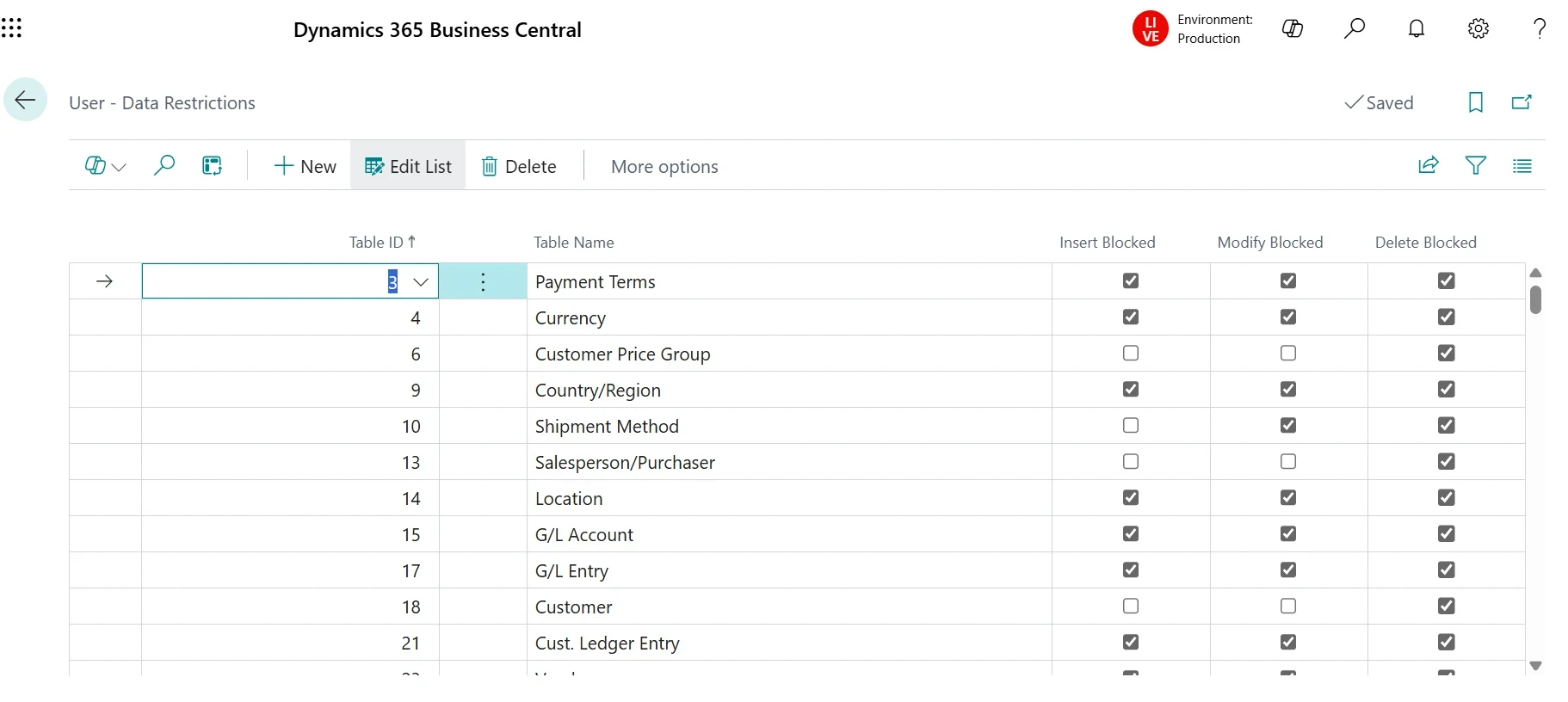
Table-level data restrictions
Pick any table and block a user from inserting, modifying or deleting records in it.
- Block insert
- Block modify
- Block delete
- Payment terms and currencies
- Customers and price groups
- Locations and shipment methods
- G/L accounts and entries
- Salespeople and purchasers
Stronger internal controlClear separation of duties between sales, purchasing and finance.
Protected master dataKey setups and accounts cannot be changed by accident.
Admin-friendlySet up per user from Business Central pages, no developer needed.
Audit-readyEasy to show auditors who is allowed to do what.
Want tighter control over your Business Central users?We can install and configure the extension around your team.Talk to an Expert
Screenshots from a live client system. User names and company details are hidden.
