The Right Technician, at the Right Job, at the Right Time
Dynamics 365 Field Service manages on-site service from the first request to the final invoice. Work orders, scheduling, the technician's mobile app, parts and billing all sit in one system.
Mohila configures work orders, the schedule board and the mobile app for your service teams, and connects Field Service with Customer Service and Business Central so jobs, stock and invoicing stay in sync.
Dynamics 365 Field Service connects every part of your service operation in one system.
Work Orders
Scheduling and Dispatch
Mobile App
Communication Tools
Service Agreements
Copilot in Field Service
Dynamics 365 Field ServiceMicrosoft
Asset Management
Preventive Maintenance
Inventory, Purchasing and Returns
Billing
Time Tracking
Analytics and Reporting
Capabilities as described in Microsoft's Dynamics 365 documentation. Some need a specific licence or add-on.
Key capabilities
Run Service Operations End to End
Field Service connects your office, your dispatchers and your technicians in the field.
Work orders
Create work orders from cases, emails, agreements or IoT alerts, with tasks, parts and labour for each job.
Scheduling and dispatch
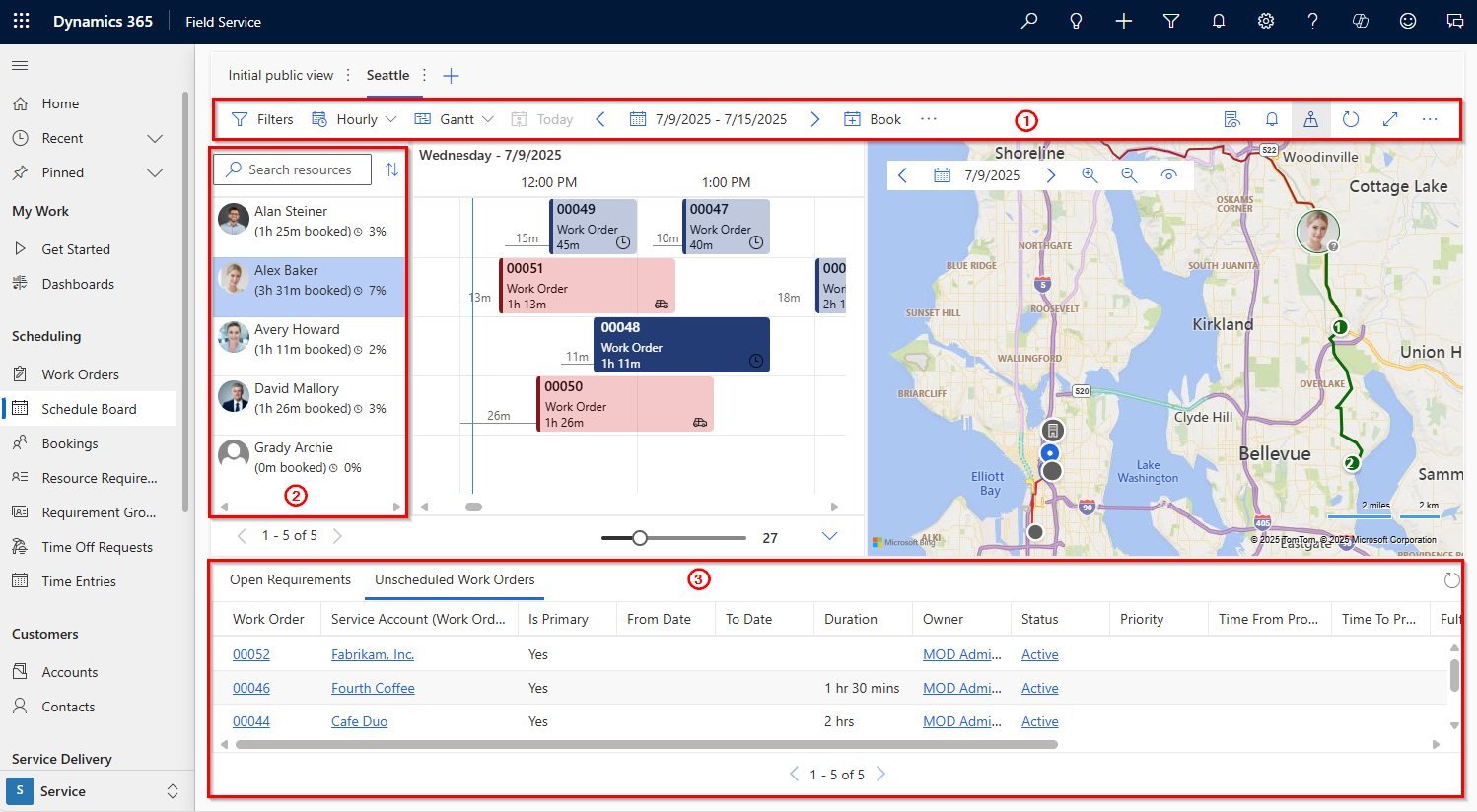
Use the schedule board to assign jobs by skill, location and availability, manually or with the scheduling assistant.
Mobile app
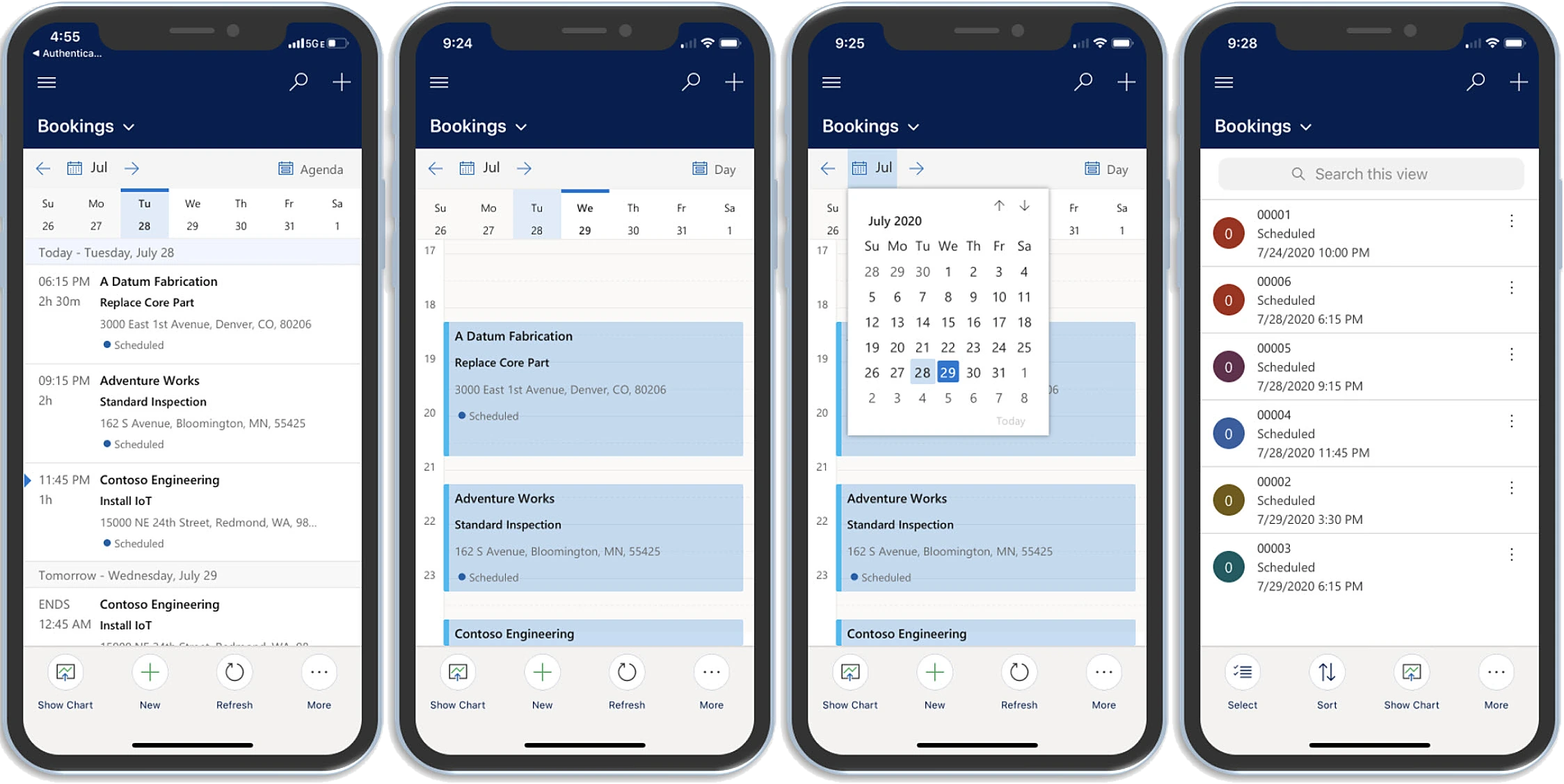
Technicians see their bookings, directions, instructions and customer assets, capture photos and signatures, and keep working offline.
Assets and preventive maintenance
Track customer equipment and service history, and generate recurring maintenance visits automatically.
Inventory and purchasing
Manage van and warehouse stock, purchase orders and returns, with stock updated as parts are used.
Time tracking and billing
Record travel and work time, and turn completed work orders into invoices for parts and labour.
See it in action
Field Service in Action
A quick look at the tools your dispatchers and technicians use every day.
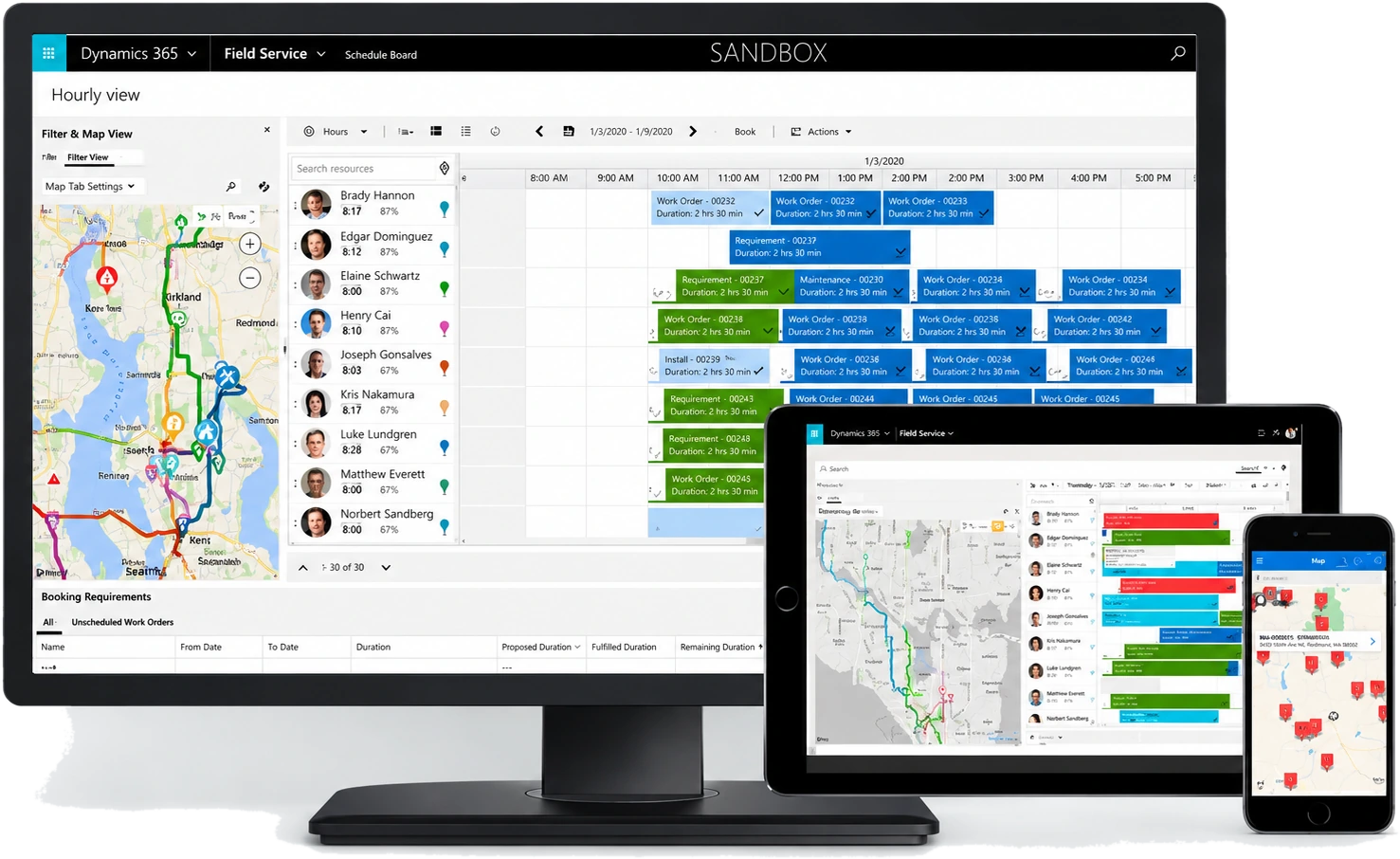
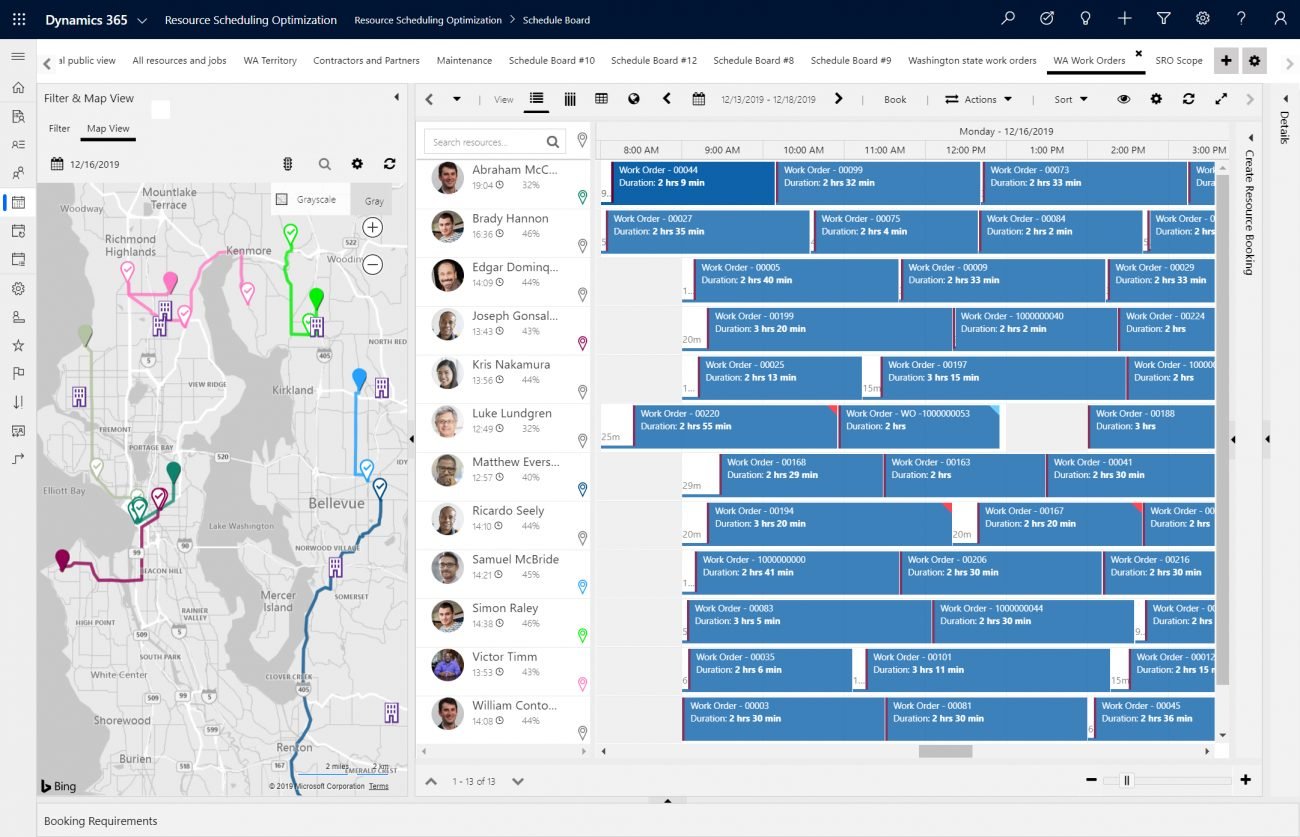
Schedule boardDispatchers see every technician, booking and job on a timeline and a map, and drag jobs to the right person.Resource Scheduling OptimizationThe optional add-on schedules jobs automatically and plans efficient routes for each technician.Mobile appTechnicians see their bookings by day or as an agenda, update job status and keep working offline on iOS, Android and Windows devices.
Product screenshots: Microsoft.
Built for frontline teams
Everything Technicians Need on the Job
For each job, technicians can see the location, step-by-step instructions, customer assets and service history on their phone or tablet.
Dynamics 365 Field Service is Microsoft’s field service management app. It covers work orders, scheduling and dispatch, a mobile app for technicians, asset and preventive maintenance, inventory and billing.
Dispatchers use the schedule board to drag and drop jobs onto technicians, the schedule assistant to find the best match by skills, location and availability, or the Resource Scheduling Optimization add-on to automate it.
Yes. Field Service can be integrated with Business Central so that work orders, items and invoicing flow into your ERP. Mohila sets up this connection for our customers.