

Microsoft Dynamics NAV Consultants in UAE
Microsoft Dynamics NAV Partner
Mohila Consultancy Services is a Microsoft partner supporting businesses in the UAE and across the GCC that still run Microsoft Dynamics NAV. Our certified consultants have helped small and mid-sized companies streamline sales, purchasing, inventory, operations and accounting on NAV.
Today we help NAV customers in two ways: keeping their current system running smoothly, and planning a safe, well-timed move to Dynamics 365 Business Central. You get clear options and a realistic plan, not pressure to upgrade before you are ready.
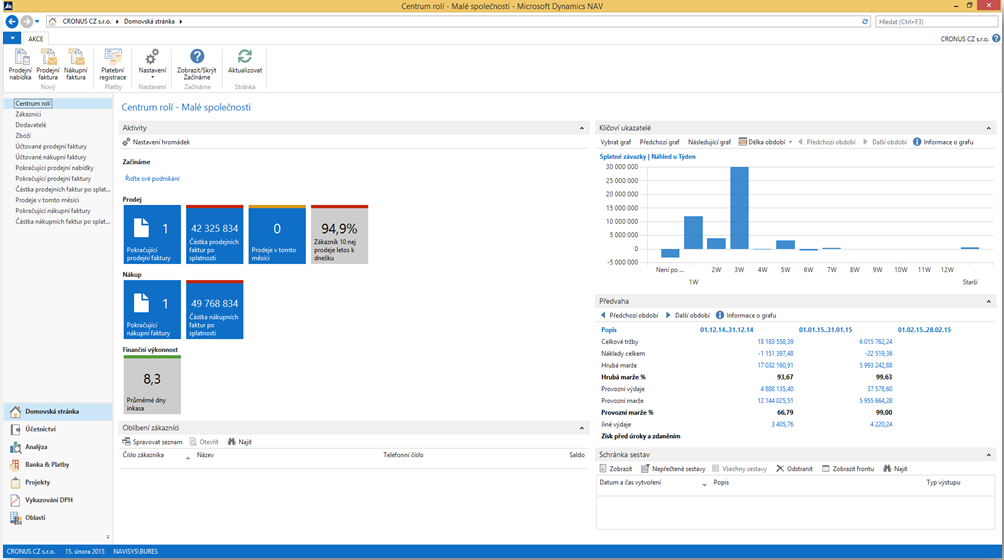

Microsoft Dynamics NAV Health Check
Our consultants review your NAV setup, customizations, data and processes. You get a clear report of what works well, what is set up incorrectly, and what to fix before any upgrade.

Microsoft Dynamics NAV Support
We keep your NAV system running day to day: fixing issues, answering user questions and adjusting reports and setups, with remote and on-site support for your team.
Explore Microsoft Dynamics 365 Business Central
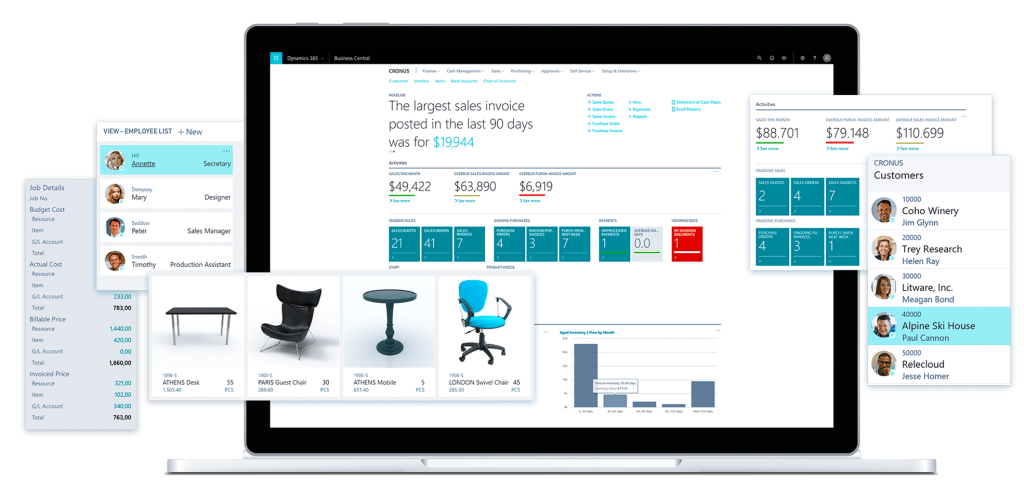
Microsoft Dynamics 365 Business Central is the successor to Dynamics NAV. It keeps the familiar NAV way of working and adds a modern web interface, close integration with Microsoft 365, and the choice of cloud or on-premises deployment.
Your NAV data can be moved across, so your team does not have to start from scratch.
Is Your Dynamics NAV Version Still Supported?
Microsoft ends support for each Dynamics NAV version on a fixed date. After that date there are no more security updates, fixes or technical support from Microsoft. Here is where each version stands today.
Source: Microsoft Lifecycle Policy
Your Options if You Run Dynamics NAV
There is no single right answer. The best option depends on your NAV version, how much you have customized it, and your plans for the next few years.
Keep NAV running for now
Support and a health check while you plan your move. Best for NAV 2018, which Microsoft supports until January 2028.
Full migration to Business Central online
Move all your data and history to the cloud. Your NAV customizations are converted to modern AL extensions.
Fresh start (reimplementation)
Start clean in Business Central with your master data, open balances and setup, and leave old history and customizations behind.
Business Central on-premises
Stay on your own servers if you need to, with a supported, current version of Business Central.
How a Move From NAV to Business Central Works
We follow Microsoft’s recommended migration path, so every step is supported and nothing is left to guesswork.
Assess and plan
We review your NAV version, customizations, integrations and data, then agree the right path and scope with you.
Clean your data
Old, duplicate and unused records are removed so only useful data moves across.
Upgrade and convert
Your database is upgraded to Business Central, and needed customizations are rebuilt as AL extensions, or you choose a fresh start.
Move your data
Microsoft’s cloud migration tool copies your data to Business Central online, tested first in a sandbox.
Test and train
Your team tests real transactions and reports, and receives hands-on training.
Go live and support
You switch to Business Central, and we stay with you after go-live to fix issues and improve.
Source: Microsoft Learn, Migrate Dynamics NAV to Business Central online
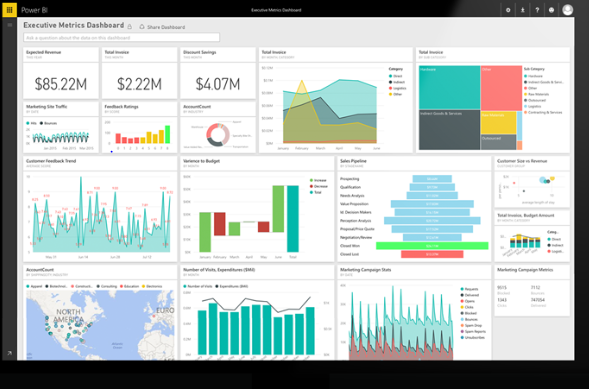
Power BI for Microsoft Dynamics NAV
Power BI turns your NAV data into clear dashboards for management. Our consultants model your NAV data and build reports on sales, inventory, receivables and payables that you can open on the web or in the Power BI mobile app for iOS and Android.
Customer Story
We helped a Dubai-based automotive company gain tight control over its inventory, receivables and payables by building interactive, drill-down Power BI dashboards on top of its Dynamics NAV data.

Avail Free Consultation
Book an AppointmentFAQs
Formerly known as Microsoft Navision, now rebranded as Dynamics 365 Business Central, Microsoft Dynamics NAV is an enterprise resource planning (ERP) application. It caters to small and medium-sized enterprises as well as local subsidiaries of large international corporations, offering support in various areas including finance, manufacturing, customer relationship management (CRM), supply chains, analytics, and electronic commerce.
It depends on your version. Microsoft support has already ended for Dynamics NAV 2016 and earlier (NAV 2016 support ended on 14 April 2026). Dynamics NAV 2017 reaches end of support on 11 January 2027, and Dynamics NAV 2018 on 11 January 2028. After these dates Microsoft provides no more security updates, fixes or technical support. Microsoft’s recommended path is to move to Dynamics 365 Business Central.
Originally, it was called Microsoft Navision, but in 2005, it was rebranded as Microsoft Dynamics NAV. Microsoft rebranded not only Navision but also other ERP products. In 2009, it underwent significant updates compared to the 1995 version.
Absolutely. You have the flexibility to establish numerous companies within each database. It’s advisable to create a company for each legal entity, and potentially some consolidation companies as well. While companies within a database have access to the same features and functions, their data remains distinct and separated.
Yes, Dynamics NAV is designed to support multiple languages. It usually comes in your local language(s) and English initially, with the option to download and install additional languages. However, it’s important to note that any modifications or add-ons will need to be translated accordingly.
Contact us with your licence details. We review your current NAV licence and advise on the most cost-effective option, which is often moving those users to Business Central subscription licences instead of extending an older NAV licence.
Microsoft offers two paths. A full migration moves all your data and history, and converts your NAV customizations into AL extensions. A reimplementation gives you a fresh start in Business Central with your master data, open balances and setup. Both start by upgrading NAV to Business Central version 14, and we recommend the right path after reviewing your system.
Not as they are. NAV customizations written in C/AL must be rebuilt as AL extensions before they can run in Business Central online. We review each customization first, because some may now be covered by standard Business Central features and no longer need to be rebuilt.
Yes, but it takes extra steps. Microsoft’s upgrade path takes NAV 2009 and NAV 2013 through intermediate NAV versions to NAV 2018, then to Business Central. For very old systems, a fresh start in Business Central is often simpler and faster.
No. Business Central is available online (cloud) and on-premises on your own servers. The cloud version means no servers to maintain and automatic updates from Microsoft, which is why most companies now choose it.
Yes. We provide day-to-day NAV support and health checks so your current system stays stable while you plan and budget for the move to Business Central.
Explore Related Solutions
More ways Mohila helps businesses get more from Microsoft Dynamics 365 and the Power Platform.
Not Sure Where to Start?
Book a free 1-hour consultation with a certified Dynamics 365 consultant.
Let our consultant get in touch with you.
Let our expert consultants connect with you to explore how we can optimize your business with Microsoft Dynamics solutions. Contact us today!”
